






 |
 |
Presentation
Build timers that guide you through every step. Hear the next stretching instruction, follow a cooking sequence, or alternate activity and rest—with spoken announcements, sounds and clear visual progress.
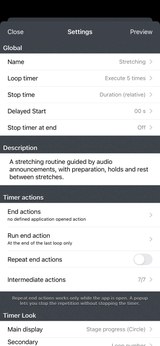
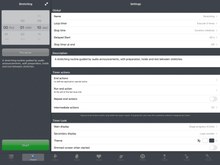
Start with a ready-made preset, then adapt it to your routine. From a simple countdown to a workout with several stages, choose your cues and preview the sequence before you begin. Try the Stretching preset for an example with spoken guidance.
HEAR WHAT COMES NEXT
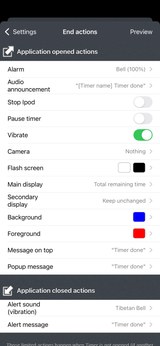
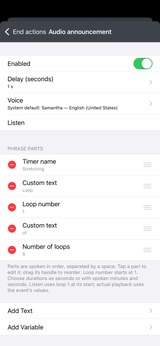
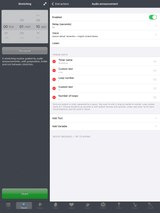
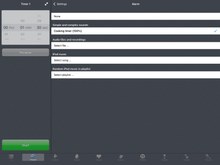
Create cues such as “Hold the stretch” or “Round 3 of 5.” Combine your own text with timer and event names, round numbers, elapsed or remaining time, and the current clock time. Choose a voice and delay speech to let an alarm sound first. Use the same text and variables in on-screen messages and notifications.
SET THE PACE OF YOUR ROUTINE
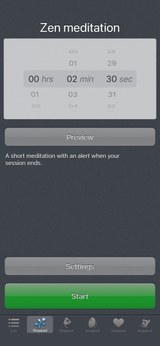
Build intervals for HIIT, Tabata, stretching, meditation or study breaks. You can also time turns in board games.
- Choose a duration or a specific finish time, with an optional preparation delay.
- Repeat for a set number of rounds or indefinitely.
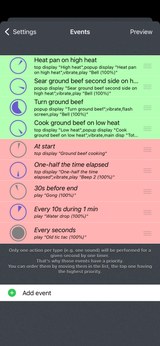
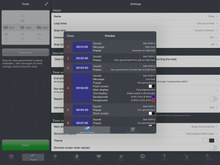
- Schedule cues relative to the start or end, as a time or a percentage, or at regular intervals—for example, a gong 30 seconds before the end or a tick every second.
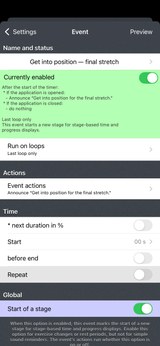
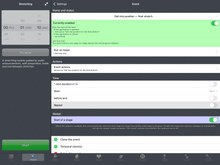
- Run an event every round, only the first or last, or a range such as rounds 3–5. End actions can run every round or only after the final one.
SAVE IT ONCE, USE IT AGAIN
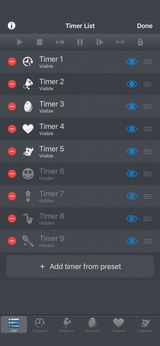
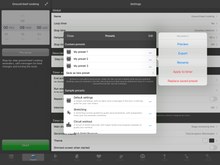
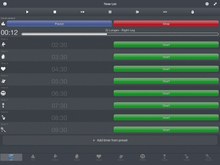
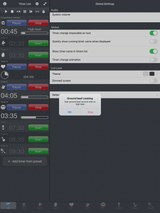
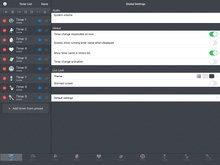
Run several timers at once. Add, reorder and hide timers to keep the ones you need within reach. Save your setups as presets, organize them, and import or export them to reuse or share.
SEE YOUR PROGRESS AT A GLANCE
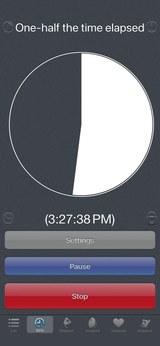
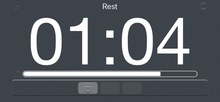
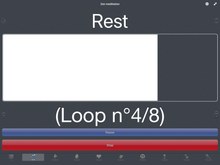
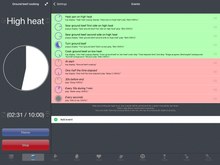
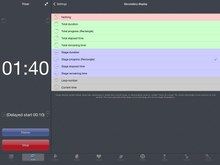
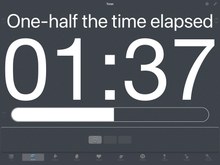
Display remaining time, elapsed time, the clock or graphical progress in two customizable areas. Switch to full screen for a larger view, in portrait or landscape. Keep track of the current round, dim the display for a less intrusive screen, and lock the controls while keeping the time visible. Choose whether to stop at the end or keep showing the time elapsed since finishing.
MAKE IT YOUR OWN
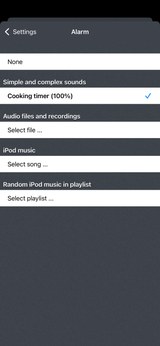
Choose bells, gongs and other alarms, or import and record your own sounds. Try Shepard tones: sequences that seem to rise or fall endlessly in pitch. Play a song from your music library, choose a random track from a playlist, or schedule music to stop.
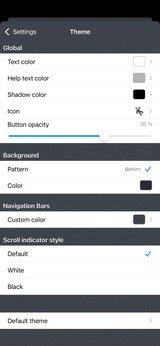
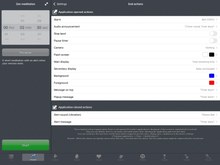
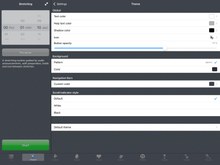
Prefer silent cues? Use on-screen messages, vibrations or a flashing screen. Customize colors and backgrounds, and search over 1,800 icons. On supported devices, you can also schedule photos or use the flashlight as a visual cue.
In the background, scheduled notifications can display messages and play notification sounds. Spoken announcements, photos and other interactive actions require Timer to stay open.
iPhone Screenshots
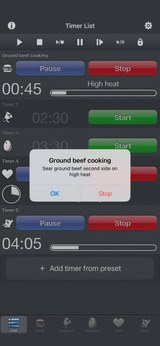
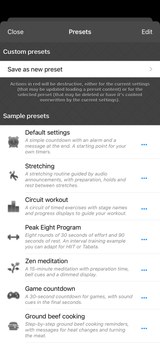
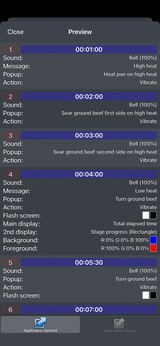
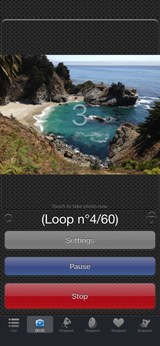
iPad Screenshots
FAQ
- Getting started
- Questions and examples
- Q : Why is an alarm silent while Timer is open?
- Q : Why are closed-app notifications missing or silent?
- Q : Why do notifications stack, or stop during a long routine?
- Q : How do I save a preset without losing my setup?
- Q : How do I use my own sounds?
- Q : Why does the timer continue after zero?
- Q : Can I use it for HIIT or Tabata?
- Q : How do speech and changing text values work?
- Q : How do I play a sound every 10 seconds?
- Q : How do I signal 75%, 50% and 25% time remaining?
- Q : How do I alternate intervals of 1 minute 30 seconds and 2 minutes?


History
v8.0
- Timer and preset descriptions: Add notes to your timers and find the right preset more easily with helpful descriptions.
- Audio announcements: Have your timers speak custom text, event names, loop numbers, and time information. Choose a voice and announcement delay, and try the new Stretching sample preset.
- New sounds: Gentle Shepard tones, pentatonic chimes and breath-like swells.
- Customizable messages: Combine text and variables in popup messages, top messages, and notifications.
- More control over loops: Run intermediate actions on every loop, only the first or last loop, or a selected range. End actions can now run only after the final loop.
- Organize your timers and presets: Add more than nine timers, reorder them, and hide those you don’t need. Custom presets can also be reordered.
- More icons, with search: Personalize your timers with an expanded icon collection and quickly find the right icon.
- More languages: Added Spanish, Italian, Brazilian Portuguese, Japanese, and Korean, plus improved German translations.
- Fixes and improvements for recent iOS versions.
v6.0.1
- Adaptations to iOS 11 and iPhone X.
- Ability to give and display a title for each timer.
- Small improvements.
v6.1
v6.0
Here are the main changes :
- Premium features are now accessible to anyone. No more in-app purchase.
- iOS 10 compatibility.
- New Icon (and small changes in the interface).
- iPad Pro and iPhone 7 plus support.
v5.3
- Sounds - New: Addition of 6 sounds (2 to 7 consecutive beeps). Those sounds can be used when the application is closed.
- Main - Bugfix: On iOS 7, fixes the display of a different message when a popup was already displayed which was causing the popup automatic removal, making the touch screen inactive.
- Main - Bugfix: On iOS 7, Fixes the "pause" text too small in landscape mode.
- Main - Bugfix: When exporting the timer preview by email, the secondary display mode is now correctly displayed.
v5.2
- Global: Fixes a potential bug in the 5.1 version startup.
- Global: As requested by Apple : replace the unlock mechanism (which is forbidden to use) by a button based one (a slide gesture can still be performed to press the 3 buttons).
v5.1
- Action - New: "pause timer" action, to automatically pause the timer at a specific time.
- Display - Change: Increased main time display area on iPad and iPhone5.
- Display - New: Big rectangle shaped progress bar, as main display mode.
- Display - Bugfix: Avoid the message on top to change once the timer is elapsed.
- Sounds-iPod - Bugfix: Improved iPod songs save/restore.
- Sounds-iPod - New: For premium users, "Random iPod music in playlist" alarm action to play a random music in a specified playlist.
- Main - New: timer:// URL scheme support to launch the app externally and to start/stop/pause/resume/lock/unlock/show the different timers. Support of the x-success parameter from x-callback-url, to go back to the source app. (more info in the FAQ in Timer web page)
- Main - New: A log file (containing the configuration, and the preview) can be saved in an email from the preview screen (so you can keep track of your different modifications)
- Presets - New: For premium users, the configuration is now also displayed in plain text in the export mail of a preset.
- Small fixes.
v5.0
- New : Several timers (3 for all users, up to 9 for premium users) can be used at the same time.
- New : A new screen can be selected to display/start/stop/pause/resume/toggle all the timers at the same time.
- New : New animated tab layout allowing to quickly select a timer.
- Main - Change : Bigger Start/Stop buttons for iPhone 5 of iPad users.
- Main - Change : The 5 seconds minimum duration limit has been removed.
- Main - Change : The presets button is moved from the main timer screen to the settings screen of this timer.
- Main - Change : When the screen is dimmed, it is now possible to touch anywhere to temporary remove the dimming (this feature is optional).
- Theme - New : For premium users, it is possible to change the icon of the timers.
- Theme - New : For premium users, it is possible to change the opacity of the buttons.
- Presets - New : For premium users, icon support in the preset list, and new Peak Eight preset.
- Sounds - New : For premium users, add m4r file support.
- More small changes and improvements...
v4.0
Here is an important note :
iOS5.0 slightly changed the way of handling applications when the device is locked (degrading some previous functionality, but improving the battery usage).
For this reason, in this new version of Timer, when the device is locked manually (using the hardware button on top), only the background notifications will occur. Those notification are the ones that were already defined for when the application is closed.
As explained in Timer, they can trigger text display (in banners or popups) and they can produce predefined sounds and vibrations.
The application prevents automatic lock of the device (If you are afraid of touching accidentally a button while the timer is running, you can select the lock icon in the Timer app)
Here are the changes in the core application :
- Main - New : Retina display support on the New iPad.
- Main - New : Slightly new icon, new startup image, new look of the application (to something more elegant and singular), changes in the organisation of the settings.
- Main - New : It was already possible to loop the timer forever. Now you can also set the timer to loop for a specific number of times only.
- Main - New : The preview screen is not restricted to the first loop anymore. All loops are displayed.
- Main - New : Improved clone event feature allowing to quickly clone several instances of an event, assigning different starting time to them.
- Main - Change : Easier way to repeat the end notification. The option is always visible in settings. In case repeat is set to ON, a popup will always be displayed at the end of the Timer (to give the possibility to stop the repeating notification without stopping the Timer).
- Main - Change : The "Avoid sleep" previous option is removed (and is now always ON) since going into sleep mode (since iOS5.0) will have a high impact on Timer : putting it in background (where only the external notifications will be triggered)
- Main - Bug fix : In Absolute end time definition mode, 12 pm is is now correctly set as noon , and 12 am as midnight (and not the opposite)
- Action - New : The flash screen notification can now be used in every event. The time is not displayed in it anymore (but it is possible to see the timer screen once the screen has flashed).
- Action - New : The colors of the flash screen action can be defined
- Action - New : It is now possible to change the background and the foreground color (for text or time widgets) of the timer screen as a new event action.
- Action - New : It is now possible to change the main and secondary display modes as a new event action.
- Display - New : Two new main display modes are available allowing to display the total or event progress as an animated pie.
- Display - New : Possibility to display the current time in the main or secondary display
- Display - New : When the screen is dimmed, touching the time label will temporary undim the screen, to see easily the time.
- Display - New : A time icon is added to the list of events to give a hint on when the event will occur (according to the current timer duration)
- Display - Change : Improved consistency when touching the main or secondary display in order to change their display mode.
- Display - Change : Unify the notifications of the events and the end notification in a similar screen.
- Display - Bugfix : Fixed a problem of incorrect time value in secondary display mode
- Messages - New : It is now possible to define a different message to be displayed in popups AND in top area for the events AND end notification.
- Messages - New : Messages can either be defined manually or can be linked to the event name (to avoid writing several times the same message)
- Messages - New : When you enter a new action message to be displayed you can now quickly select one of the 10 previously entered messages.
- Sounds - New : New sound system allowing a direct main volume control using the hardware buttons. (The sounds that are played internally do not rely anymore on the volume of the alerts)
- Sounds - New : This main system volume, used for the internal sounds, can also be changed with a slider in the application. A button is added to stop all currently playing alerts.
- Sounds - New : Bypass the silent switch to avoid confusion : sound is always on. (however, you have full control of the volume level)
- Sounds - New : Each played sound can have it's own audio gain defined independently (so you can use a same sound at different volume levels).
- Sounds - New : A silent alarm is added to the alarm list. This might be useful in some particular cases (to replace another audio alarm, with a lower priority in the events list, or to force a vibration without audio even when not in silent mode if the app is closed)
- Sounds - New : Specific option to pause the iPod music when a sound is played (to easily hear the sound).
- Sounds - Change : do not automatically stop the music player anymore when the stop button is pressed.
- Sounds-iPod - New : It is now possible to stop the iPod playback as a new event action.
- Sounds-iPod - Change : Use the device iPod player and not a special one so the played iPod music will continue playing when Timer is closed.
- Sounds-iPod - Change : Does not stop iPod anymore when another sound is played.
- Sounds-iPod - Change : Do not pause the iPod anymore when the pause button is pressed.
- More small changes and improvements...
- Sounds - New : Some custom audio files can be used as alerts when the application is opened. Add as many audio files as you want.
- Sounds - New : Audio files can be added using iTunes File Sharing. Add your files (*.mp3, *.wav, *.caf, *.aif, *.m4a,...) directly in the Document folder of the app, using iTunes, and you'll be able to use them in Timer.
- Sounds - New : Thanks to the microphone of the device, you can record your own files. Use your voice to remind you precisely the different things to do.
- Sounds - New : Those audio files are exported with the presets that uses them. This way, you can easily share your routines with associated sounds in a single step.
- Theme - New : The look of the application can be changed thanks to a theme feature.
- Theme - New : Various parameters can be customized like the background pattern or color, the text and shadow colors, the navigation bar tint color and more.
- Theme - New : The themes are persisted in the presets so you can give to your multiple presets a unique look for a better identification.
- Camera - New : A new camera action is added and can be used on recent devices (>ios5). It can be scheduled like every other Timer action.
- Camera - New : Rear and front camera can be used. The flashlight (if available) can be set to on, off or automatic modes.
- Camera - New : When the picture is taken, a preview can be displayed on screen, in order to see how the picture will look like.
- Camera - New : Pictures are automatically added to the photo app of your device (and will go to Photo Stream on iCloud)
- Camera - New : When available, a camera can action also trigger the flashlight for a visual alert (without taking a picture)
- Presets - New : Export your presets (and all their associated data, except iPod songs) as an email attachment for backup and share.
- Presets - New : Import presets (created by you or by some friends) simply clicking on an exported presets file on your iOS device.
- Presets - New : Small redesign of the presets screen (presets can now be renamed and updated)
- Presets - BugFix : Changed the background color of the preset name textfield to white color (for a better visibility)
v3.2
- New : The displayed time can now be related to the time between the events (and not the total time). Very useful if you need to focus on each event duration.
- New : Allows to configure a smaller secondary display with various informations.
- New : A progress bar can be displayed as a secondary display types.
- New : A preview button is added in the Event and Events screens to quickly preview the changes.
- New : A clone button is added in the Event screen to clone the current event.
- New : Add restore button to the in-App purchase screen.
- Bug fix : Messages displayed by the events are correctly displayed after an application resume or a parameter change.
- Change : Improvement of the short message indicating the current display mode (when the main or secondary display is touched).
- Change : Updated full screen button on iPad
v3.1
- New : Add the possibility to lock the screen in order to avoid hitting unintentionally the buttons (pause,stop ...).
- New : On iPad, add the possibility to show the time with big numbers in fullscreen (use the arrow button on the top to extent the time display).
- New : Displays a loop counter.
- New : Displays a short indication message (delayed or elapsed time) when the time is touched.
- Bug fix : Loop mode was sometimes omitted at the application launch.
- Change : Various information messages added or updated.
v3.0
- New : iOS4 compatibility.
- New : The notifications can now be triggered when the application is in background, thanks to local notifications.
- New : Graphical improvements for retina display.
- New : iPad adaptation. As an universal binary, you can use this app on all your iOS devices (iPhone/iPod/iPad)
- New : Delayed start feature, allowing to have a short preparation time before the timer is automatically started.
- New : Addition of a preview screen (for an easier understanding of the current settings, listing the time when the events will occur).
- New : The stop time can, optionally, be entered as an absolute hour value, instead of a relative duration. Use this feature to, for instance trigger 4 equidistant notifications until 6PM.
- New : 15 alarm sounds added (mainly Zen ones).
- New : Optional mode allowing to trigger audio alarms as system alerts. Using this mode, the iPod volume will decrease during an alarm playback and will increase back after that.
- New : Give the possibility to display the text messages of the internal events in popups (instead of displaying them on top of the time).
- New : Dark screen opacity can be adjusted.
- New : Switch displayed/remaining time display when clicking on the time label.
- New : When the Timer is started, take into account and event modification while editing it.
- Bug fix : The iPad playback is not decreased anymore after a vibration event.
- Bug fix : Improved handling of startup and end events when the timer is looped (they may occur at the same time)
- Bug fix : improved precision when the timer is looped.
- Bug fix : Improved timer reactivity while the list are scrolled
- Bug fix : Various small bug fixes and improvements.
- Change : End popup changed to default one.
- Change : Do not trigger anymore end notification when returning to the timer app after the delay is elapsed.
- Change : Nicer about screen.
- Change : Cleaner splash screen.
- Upgrade : Favorites (Presets) available as in-app purchase : This feature lets you to load and save your settings, allowing you to have multiple configurations ready to be used.
- All the parameters of the application (including the special events) can be saved and restored easily.
- Some default presets are provided, allowing you to explore the different features of Timer. (Reminder every hour, Zen meditation, Game countdown, Circuit workout, Split in 4 until 8PM...)
- Each preset can be previewed to have a quick overview of its content.
- Give the name you want to your presets to organize them the way you want.
- An unlimited number of presets can be stored.
v2.3
- Fixes a sporadic crash that appeared while changing some settings.
- Do not leave the application anymore when the About web view is displayed.
v2.2
- Desactivate predefined events (tic tac noise, half-way mark alarm) in default configuration.
Use the "Default Settings" bottom button to easily revert to those new default settings (this will also remove your own events).
Events can still be activated manually, through the "Settings"->"Events" sub-menu. - Textual descriptions for events (for a better understanding of what an event will do).
- Add short "Events" footer description in parameters screen (so users do not miss this powerful feature).
v2.1
- Fixes the "avoid idle sleep" (renamed "avoid auto-lock") check ignored once an iPod alarm was played.
Note: There is a side effect of using an iPod alarm : the inactivity delay of the auto-lock is reset when the alarm is played.
v2.0
- Allows Music/Sound notification from your iPod library. This way, a user can add custom sounds, or use a music as notification.
- Possibility to define multiple special events that will be triggered when the timer is running.
This powerful feature replaces the simple tic tac sound.
Sounds, vibrations (if supported) and messages can be notified at any time thanks to a complex time scheduling system.
Here are some events you'll be able to create :
- "Play a Gong sound 30 seconds before end"
- "Every 10 seconds during 1 minute, produce a sound with an increasing pitch"
- "Play a tic tac sound every seconds"
- "Once One-half the time is elapsed, play an iPod song and show a custom message on the screen"
- Timer Stop is now manual to allow ipod music playback until Cancel is pressed and to see the elapsed time even if the timer is done.
- Time displayed in red (with a +/- sign) when the timer is elapsed.
- Choose to display remaining or elapsed time
- Alarm screens merged (and include iPod section)
- Bigger "Timer done" displayed in popup
- Smoother portrait/landscape rotation.
v1.4
- Remaining (or current) time displayed with the flash screen notification.
- Full screen flashing text more visible on black background.
- Adaptations to OS 3.0.
v1.3
- Tic Tac sound can be replaced by various other sounds including clicks and Shepard tones.
- New Shepard Beat alarm sound. (best effect when repeat notification is ON)
Those Shepard tones creates the auditory illusion of a tone that continually ascends or descends in pitch.
v1.2
- Portrait and Landscape visualisation modes are handled in all application screens.
- The time is displayed with a bigger font size (mainly with the new Landscape orientation).
v1.1
- Using the System notification (vibrate/Piezo) should trigger a vibration on the iPhone and a Piezo audible alert on the iPod Touch.
- Screen can be dimmed during the timer execution.
- A new notification allows to make the screen flash (to use when silence is needed).
- New short alarm sounds : Beep and Water Drop.
- Better organisation of the preferences screen.
Availability
Timer can be purchased on the App Store
Privacy policy
We do not collect any personal information in this app.
For some of our applications, we may use anonymised analytics information to better understand how the users are interacting with the app in order to improve it.
Help
For more information or support, please contact .
To get some fresh news regarding our work : here is our twitter PacoLabs.